The ideal LMS platform: when the 86-inch display and every student's device work as one
The best LMS platform is the one that turns the interactive display at the front and the device on every desk into a single, living learning experience.
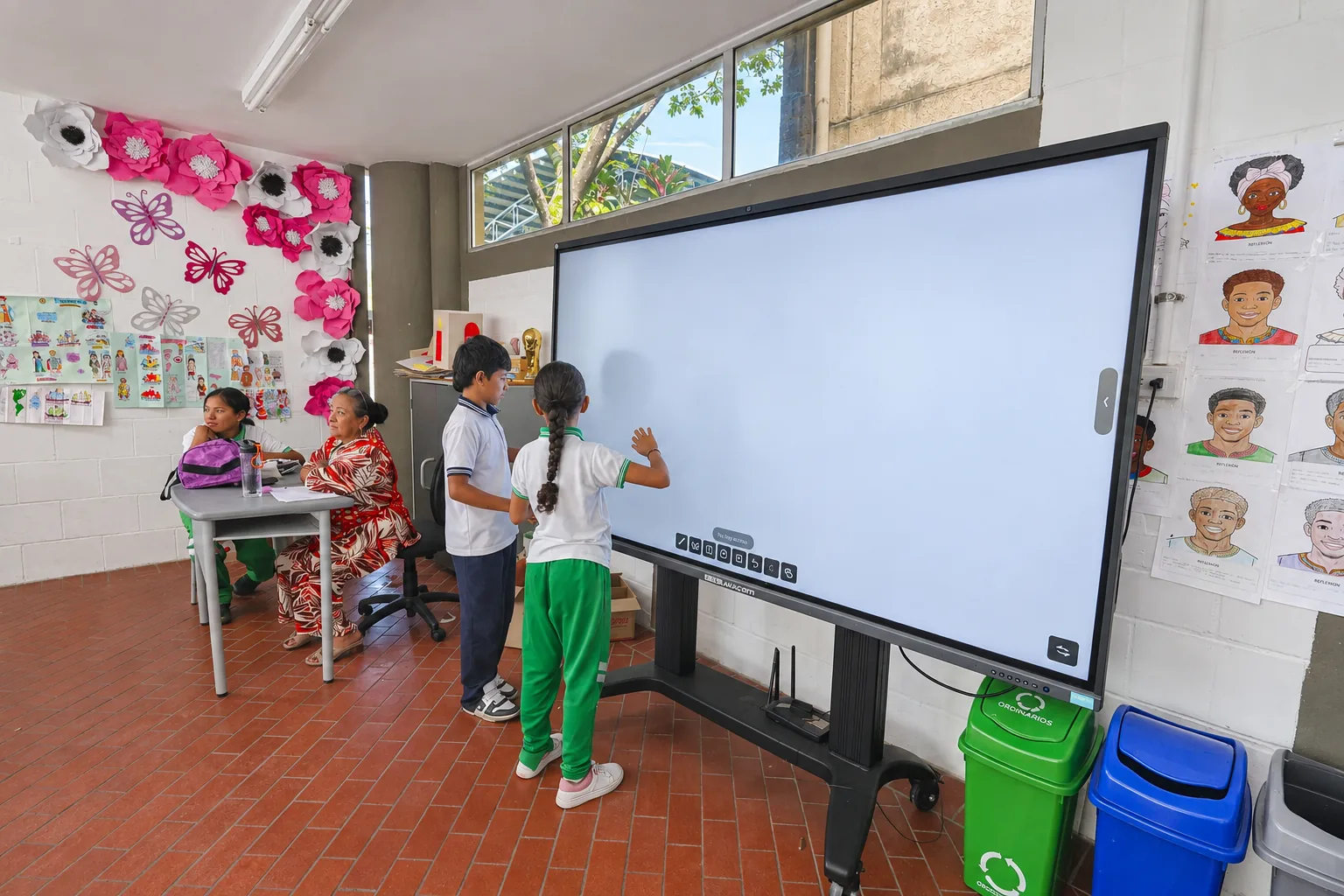
An ideal LMS platform connects the interactive display, tablets and laptops into a single class.
The 86-inch display is the meeting point where everyone looks at the same thing.
One device per student brings participation to every desk.
With an offline-first approach, interactivity works with or without internet.
On its own, an LMS platform organizes courses, activities and progress. An ideal LMS platform does something bigger: it takes the interactive display at the head of the room and the device each student holds, and turns them into a single connected experience. That is where technology stops being a collection of separate gadgets and becomes a class that breathes in sync.
The 86-inch display: the meeting point
At the front of the classroom, an Aula Board 86 Pro + interactive display draws the whole group's attention to one place. On it, the teacher opens the day's content, writes, highlights and works through problems live. When the LMS platform drives that display, what appears on the big screen is the same material that reaches every device, so no one gets lost and everyone works on the same page. The display becomes the visible heart of the class.
One device per student: tablet and laptop
Participation changes in nature when every student has their own device. In the early years, the tablet invites children to touch, drag and explore with their hands, suited to kids who learn through play. In the upper grades, the laptop opens the door to writing, researching, coding and building more ambitious projects. The LMS platform recognizes each stage and delivers to every student the content and activities that fit, on the right device for their age.
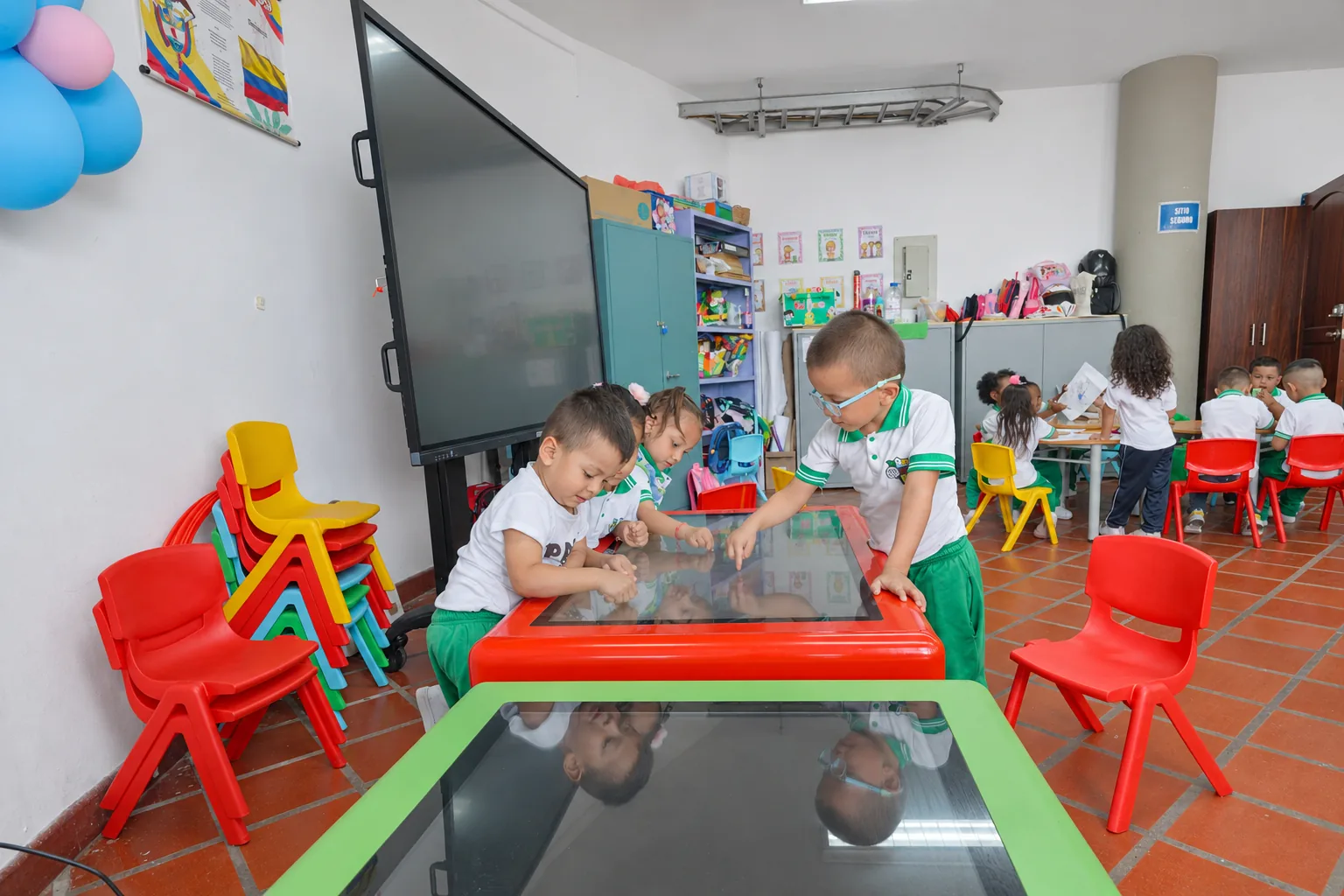
Live interactivity, in both directions
The magic happens when information flows both ways. With a single gesture, the teacher sends an activity from the display to every tablet and laptop. Each student answers from their seat, and those answers come back to the big screen so the class can look at them together. One student's work is projected so the group can learn from it. A quick poll shows in seconds who understood. The ideal LMS platform orchestrates that back-and-forth, and the whole room becomes an active space where everyone builds at the same time.
Built for the real classroom: offline-first
All that interactivity loses its point if it depends on a connection that comes and goes. That is why the ideal LMS platform is built offline-first: the display, tablets and laptops talk to each other inside the classroom, with or without internet, and the class syncs its progress when the network comes back. The full experience, the same one a connected school enjoys, also reaches communities where the signal is scarce.
The ideal LMS platform is the one that makes the display and every device think as a single class.
AVACOM's eClass Digital platform connects the Aula Board 86 Pro + interactive display with each student's tablet or laptop in an offline-first ecosystem, with curriculum-aligned content and ongoing teacher training, so the whole classroom learns in a single interactive experience.
Vanliga frågor
What makes an LMS platform ideal?
It connects the interactive display at the front and each student's device into a single experience, and it works with or without internet thanks to an offline-first approach.
How does the 86-inch display work with the devices?
The LMS platform sends content and activities from the display to the tablets and laptops, and returns students' answers and work to the big screen so the group can review them together.
Which device suits each student?
The tablet favors touching and exploring in the early stages; the laptop enables writing, researching, coding and building projects in the upper grades. The platform delivers what fits each stage.
