Interactive whiteboard: an ally for any teacher
An interactive whiteboard is an ally for any teacher, because it combines the naturalness of writing on the board with digital features that save time, organise resources and add energy to every lesson. It is also intuitive for teachers at any level of digital experience. This guide goes through why this tool becomes part of the daily routine and how to make the most of it in the classroom.
In brief
- The interactive whiteboard adapts to each teacher's style and to any subject.
- Saving and reusing lesson content saves hours of preparation.
- Its potential multiplies when combined with educational software by level and subject.
- It is intuitive for teachers at any level of digital experience.
What makes the interactive whiteboard such a versatile ally?
The versatility of an interactive whiteboard lies in its ability to adapt to each teacher's style: those who prefer to write by hand can carry on doing so, and those who want to project videos, maps or interactive exercises also find their place. That flexibility makes it a cross-cutting resource, useful from the first lesson with young children to advanced sessions with secondary groups.
Time saved in lesson preparation
Saving the content of a lesson to reuse it, pick it up again in the next session or share it with those who were absent is one of the benefits teachers value most. An interactive whiteboard avoids rebuilding materials from scratch every week and makes it possible to build up a personal bank of resources that grows over time, ready to be adapted to different groups and contexts.
A resource that adapts to any subject
| Subject | What the interactive whiteboard brings |
|---|---|
| Mathematics | Working through exercises step by step and saving the whole process. |
| Science | Simulations and videos that illustrate phenomena hard to observe in the classroom. |
| Languages | Support for pronunciation with built-in audio. |
| Art | A digital canvas for exploring colour and composition. |
The technological foundation behind the ally
Behind every interactive whiteboard there is a digital whiteboard that manages connectivity, storage and content syncing. That foundation determines how far its classroom use can scale: a robust digital whiteboard supports multiple applications, constant updates and a long service life, which turns the initial investment into a resource that stays with the institution for several years.
Educational software and interactive screen, the combination that multiplies learning
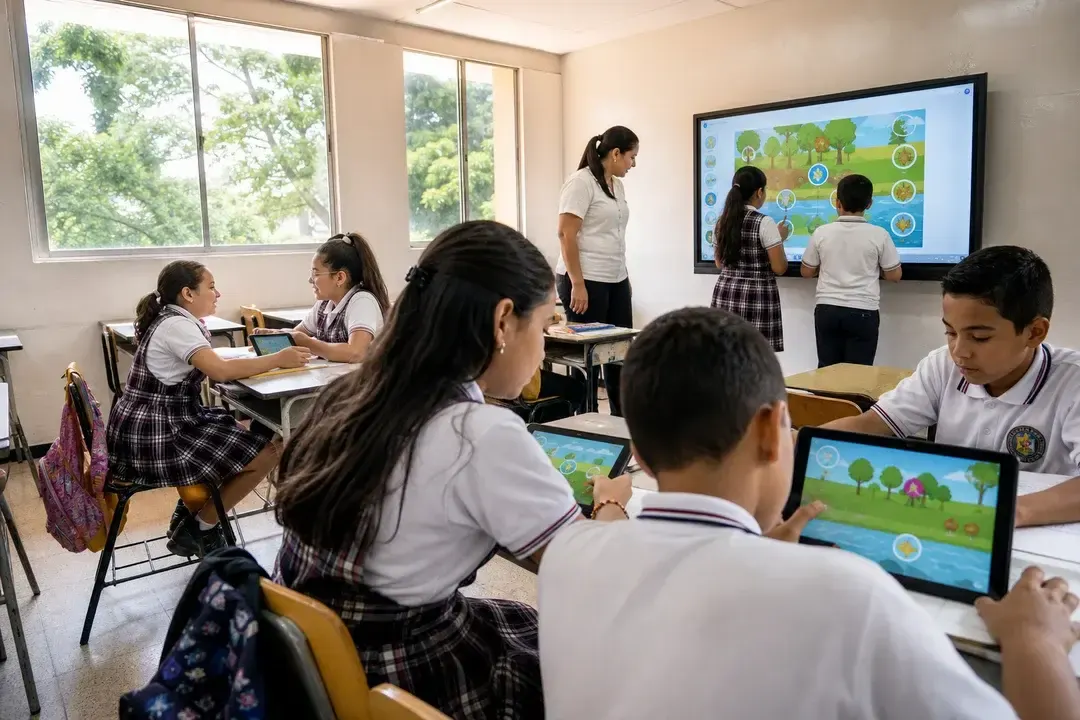
The potential of an interactive screen is released when it is combined with educational software designed for each level and subject. Games, real-time quizzes and collaborative activities turn the lesson into a space for active participation, where students interact directly with the content, guided by the teacher at the front.
Digital classrooms that are livelier and more participative
Digital classrooms that put an interactive whiteboard at their centre gain energy: students come to the front, solve exercises on screen and collaborate in real time with their classmates. That active participation holds the group's attention for longer and gives the teacher immediate information about which concepts need reinforcing.
How to choose the right interactive whiteboard
Choosing well means looking at the screen size for the room, compatibility with the educational software the institution already uses and how easily it integrates with an existing educational platform or LMS platform. An informed decision, aligned with the institution's educational technology infrastructure, helps the tool be used to the full from day one.
At AVACOM we offer educational technology ecosystems designed to support any teacher, in any subject and at any level.
Najczęściej zadawane pytania
Why is the interactive whiteboard useful for any teacher?
Because it adapts to each teacher's teaching style, works in any subject and saves time by letting them save and reuse lesson content, whatever their level of digital experience.
What is the difference between an interactive whiteboard and a digital whiteboard?
The digital whiteboard is the technological foundation that manages connectivity and storage; the interactive whiteboard adds the ability to touch, drag and handle content on screen during the lesson. AVACOM offers both in the same device.
Which subjects benefit most from an interactive whiteboard?
All of them benefit: mathematics with step-by-step exercises, science with simulations, languages with built-in audio and art with a digital canvas for exploring colour and composition.
What should you check before choosing an interactive whiteboard?
It is worth looking at the right screen size for the room, compatibility with the current educational software and how easily it integrates with the educational platform or LMS platform the institution already uses.
