Educational software: How it personalises learning at every stage
A classroom of thirty students holds thirty different speeds. One girl solves the problem in two minutes. The boy next to her needs fifteen. A third understood the topic last week and is now waiting. For decades, school settled that difference in a single way: move at the pace of the average.
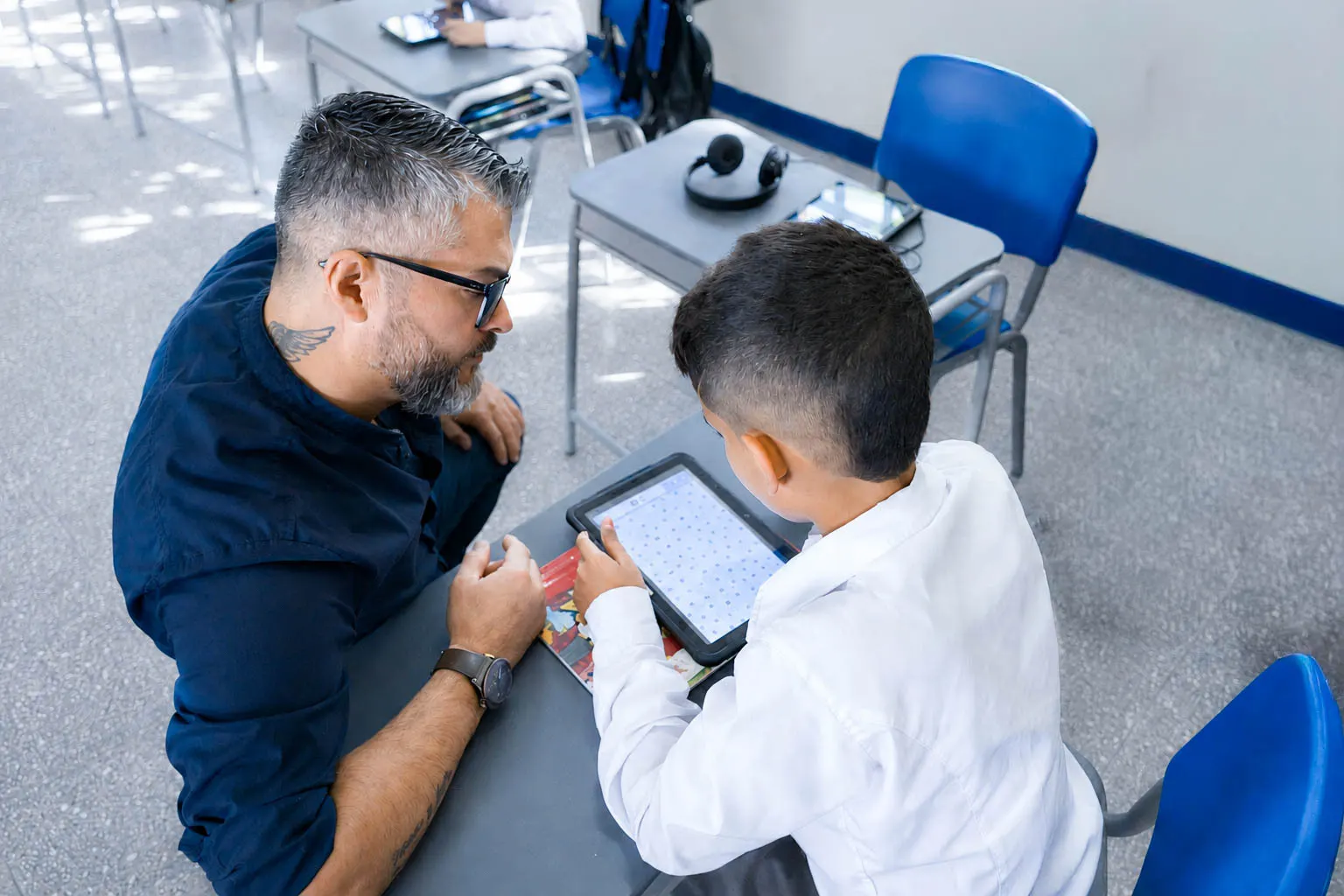
Educational software opens another possibility. It records how each student learns and uses that information to adjust content, pace and assessment to their actual progress. That capability, known as personalised learning, is already changing how schools, universities and training centres organise their classes across the region.
What is educational software?
Educational software is a programme designed to support teaching and learning inside and outside the classroom. The term covers everything from guided practice apps for early readers to complete platforms that manage content, assessment and performance reports for an entire university.
Its distinctive feature is data. Every exercise solved, every attempt and every response time becomes information the teacher can read. With that reading, teaching gains precision and support arrives at the moment it makes a difference.
The most common types of educational software
- Drill and practice software: reinforces content already covered through guided repetition with immediate feedback.
- Tutorial or adaptive software: introduces new content and adjusts difficulty according to the student's answers.
- Simulators and virtual laboratories: recreate scientific phenomena and technical processes so students can experiment in safe conditions.
- Learning management platforms (LMS): organise courses, submissions, grades and communication in one place.
- Creation and collaboration tools: let students produce their own content and work as a team.
What is personalised learning?
Personalised learning means adjusting the pace, the content and the way of teaching according to each student's performance. Educational software makes it possible by gathering data in real time: which topics a student has mastered, where they run into difficulty and what kind of activity best holds their attention.
With that information, the institution makes sharper pedagogical decisions for each group and for each student. The result is more effective learning and sustained motivation, because every student moves at their own pace and sees their progress clearly.
Preschool: play as the first source of data
In preschool, educational software enters the classroom dressed as a game. A child drags shapes across a touch screen, listens to sounds, repeats a pattern of colours. Meanwhile, the activity records how many attempts they needed, which shapes they recognise easily and which ones give them pause.
The teacher receives that reading while the group carries on. Personalisation at this stage focuses on identifying early which skills need close support, and so building firm foundations for the years ahead. It is the same principle that runs through the scenario on educational technology in early childhood.
The value here is preventive. A phonological discrimination difficulty spotted at four is addressed through play. Spotted at eight, it calls for corrective support.
Primary: learning paths that follow real progress
In primary school personalisation takes on structure. An educational platform with individual tracking makes it possible to reinforce reading, mathematics or science according to exactly where each child stands. One student practises inferential comprehension while their classmate consolidates reading fluency, both in the same class and towards the same curricular goal.
Learning paths make that journey visible. The teacher sees who moves ahead with ease, who repeats the same kind of mistake and who is ready for a bigger challenge. With the EdTech tools of the classroom, visual explanations adapt to the level of the group while the software identifies those who need a second pass.
The primary digital classroom then works as a space for informed decisions, where every teaching intervention answers to concrete evidence about a concrete student.
Secondary: autonomy, STEAM education and career decisions
In secondary school students gain autonomy, and educational software supports that process with flexible paths they help choose themselves. Integration with STEAM education spaces opens a particularly fertile field: robotics, programming, design and applied sciences let each student go deeper into the area that sparks their interest.
That depth leaves a trace. By identifying which projects a teenager invests more time in, which kind of problem they persist with and where they achieve their best results, the institution builds a picture of their vocational profile backed by three years of evidence, ready to guide the conversation about their next stage.
Higher education: LMS platform, analytics and retention
In universities and training centres, personalisation reaches its most sophisticated form. An LMS platform lets each student advance according to their own academic plan, with adaptive content, automated assessment and performance reports available to teachers and coordinators at any point in the semester.
This level of analysis turns educational software into a strategic tool. The institution anticipates signs of dropout weeks in advance, identifies talent for research groups and adjusts its programmes based on the real behaviour of its cohorts. The scenario on EdTech for universities walks through that complete ecosystem.
An attendance figure cross-referenced with assignment submissions and the use of digital resources reveals a student's real behaviour with a precision that an overall average barely hints at. That is the difference between reacting in December and acting in September.
The educational technology that sustains personalisation
Personalisation lives in an ecosystem of educational technology where every piece plays its part: the interactive screen turns the class into reusable content, the software gathers the data, the platform organises it and the teacher translates it into decisions.
When that chain runs smoothly, personalised learning becomes a daily classroom practice, measurable in results and visible to families.
Advantages of educational software for the institution
- Pedagogical decisions with evidence: every intervention answers to individual performance data.
- Early detection: signs of difficulty appear weeks before a report card.
- Teaching time recovered: automated grading and preconfigured reports free up hours of planning.
- Academic traceability: accreditation processes find organised, verifiable evidence.
- Continuity between stages: a student's history travels with them from primary to secondary and from secondary to university.
- Sustained motivation: the student sees their progress clearly and receives immediate feedback.
The path towards a more personalised education
Adopting educational software with a focus on personalisation is a process that evolves alongside each institution. The first step is mapping the real needs of each educational stage, from preschool to higher education, in order to choose the technology that matches each one and measure results from the first semester.
Institutions that start there reach implementation with clear criteria and with metrics defined before the first device is switched on.
About AVACOM
At AVACOM we design educational technology ecosystems that bring together educational software, LMS platforms, interactive screens and STEAM spaces for institutions across the Americas, Europe, Africa and Asia. We support schools, universities and training centres in designing classrooms where every student moves at their own pace.
Understanding what each educational stage really needs is the first step. Explore our solutions for your institution on the ecosystem page.
자주 묻는 질문
What are the features of good educational software?
A clear interface for teachers and students, content aligned to the curriculum, automatic performance tracking, accessibility options and the ability to integrate with the educational platform the institution already uses.
From what age can educational software be used?
There are products designed from the age of three, centred on play and sensory exploration, with short screen times and constant teacher support.
Does educational software replace the teacher?
Educational software extends the teacher's reach. It hands over information that was invisible in a class of thirty students and gives back hours to support, motivate and explain in another way.
How is the impact of educational software measured?
With indicators defined before implementing it: progress by competency, time spent on each piece of content, activity completion rate and how academic results evolve by cohort.
